 Worldwide Presence

Vïvo Webinar Recording: Hand-Held Control of Your METIman Simulator
Did you miss the latest series of CAE Vïvo webinars? Did you not get to see the many incredible advantages to using this revolutionary management software for full and self-directed simulator control?
Or, perhaps you might want to view the presentation again, and maybe share it with a colleague in simulation education who would benefit from learning more about this touch of genius by CAE Healthcare ?




We are supplying you with the recording of a recent CAE Vïvo webinar session, at the end of this article. Because we've received so many good reviews, with so many people signing up for these interactive monthly sessions, we decided to additionally make the recording available for you to view at your complete leisure.
Pause it; review it; take your time getting to know this revolutionary new way for conducting a patient simulation exercise. Once you've watched the presentation, we're sure you'll agree:
What is the Vïvo Option for the METIman Patient Simulator?
-
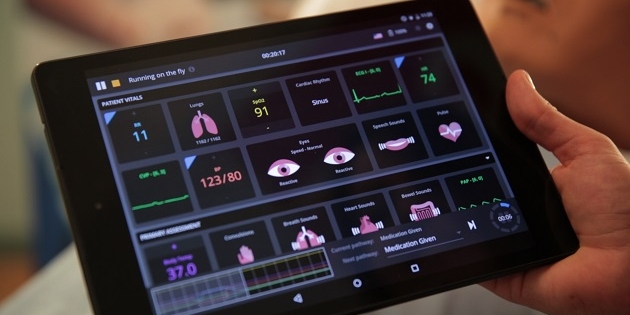
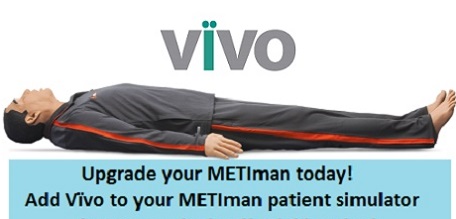
Vïvo is a revolutionary, intuitive tablet-operated application (now available for METIman patient simulators)
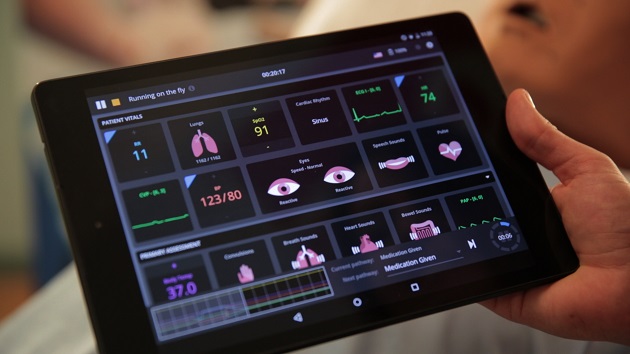 that allows full control over the simulator’s vital signs and physiological responses.
- Vïvo provides the ultimate in empowerment and choice to nursing program educators, simulation facilitators, and other clinical instructors who use simulation as part of their training regimen.
With Vïvo, you now have a choice!
CAE Healthcare designed Vïvo for trainers and educators who want to create their own distinct patients for meeting specific learning objectives in addition to (or, as an alternative to ) using the MUSE operating software.
Ideal for in situ, or on-the-fly simulation, Vïvo allows users to create realistic scenarios directly on the tablet -- with a simple swipe of a finger -- and then saves patient parameters for later review, simulation debrief, and/or for re-use in subsequent simulations.
Care to learn how you can, in just a short time, exert your own level of control over the METIman simulator during training?

CAE Vïvo Webinar Recording: 23 minutes in duration
Let us know what you think! And, if you need to find out more, simply drop us a line.